Rebuilding ZotLit: the v2 public beta
Why ZotLit was rebuilt and what the v2 public beta includes.
July 25, 2026 · by aidenlx
ZotLit v1 had a dependency that broke every time Obsidian updated its runtime. I tried to keep up with patches, but it wasn't sustainable. Replacing that dependency meant rebuilding most of the plugin anyway, so v2 rewrite also simplifies the internals: templates, annotations, how item fields are structured. The public beta is ready to try.
What broke
Reading Zotero's database from inside Obsidian requires a SQLite driver. When v1 shipped, the only option was better-sqlite3, a third-party native binding. Node's built-in SQLite module didn't exist yet and wouldn't be usable in Electron for nearly two more years. So v1 shipped with a forked better-sqlite3 binary that users had to download separately during setup, matched to their Obsidian version.
Native bindings compile against a specific Electron ABI. Every time Obsidian shipped a new Electron installer update, the binary stopped loading. Some users saw an error dialog telling them their Electron version was no longer supported. Others got a black screen on startup and had to delete the plugin files from the filesystem to get Obsidian working again. Every major bump was another round, and each time, the fix was a race to rebuild the binary and ship a patch.
On the Zotero side, v1's companion add-on was built during the transition from Zotero 6 to 7. Zotero 7 replaced the extension system, rewrote its APIs, and changed how add-ons interact with the app. During the transition the add-on had to work on both versions at once, which meant maintaining two code paths for the same features. The bridging work kept piling up alongside the Electron binary problem, and at some point I stopped being able to justify the time.
The native binding turned every Obsidian update into a risk, the Zotero transition doubled the maintenance surface, and when I couldn't keep up, users were stuck with a broken plugin.
For the longer personal backstory behind the decision to rebuild, see Reconnecting the Dots.
What changed
node:sqlite now ships with Node itself, and recent Electron versions include it. v2 uses it directly. That means no more binary download and install guide, and the native binding that broke on every Electron update is gone.
On top of the driver swap, v2 uses Drizzle ORM as a structured data layer. In v1, every database query was hand-written SQL, and item fields were essentially untyped. If Zotero changed a field name or added a column, v1 had no way to notice until something rendered wrong in a template. In v2, field types are generated from Zotero's own schema definitions, so each item type (journal article, book, conference paper) gets typed fields. Mismatches show up in the Template Data Explorer rather than in a silently wrong note. This also makes it easier to keep up with Zotero's own changes. v2 tracks Zotero's schema version with an update procedure. By comparison, v1's types were generated once and never refreshed.
ZotLit Companion, the Zotero add-on, targets Zotero 9, whose API has settled enough to build against without chasing a moving target.
I wrote v1 while teaching myself to program alongside medical school. Working in tech full-time since has changed how I build software, and the rewrite was a chance to apply that: fewer moving parts, less code to break. The plugin does the same things with a simpler internal structure, which means fixes and new features take less time to ship. Coding agents help too. They work better with straightforward code, which is another reason to keep the internals simple.
That's a foundation I can maintain more reliably. I can't promise that nothing will ever break, but the two biggest sources of trouble are addressed: the native binary that broke on every Electron update, and the untyped schema that drifted silently. With this foundation, routine updates to Obsidian and Zotero should stop being something to dread.
What you can try
The ZotLit v2 ships with four main workflow areas:
Annotation workspace
If you read and annotate PDFs in Zotero, the annotation view gives you a workspace for reviewing your highlights, comments, and annotations alongside a Literature Note. You can search across text, comments, tags, and page numbers, and filter by color or tag to narrow down what you're looking at without switching back to Zotero. You can drag annotations into your note individually, pull them all in at once, or work through them selectively. Clicking an annotation opens the source PDF at that location in Zotero, so you can move between the two apps without losing your place.
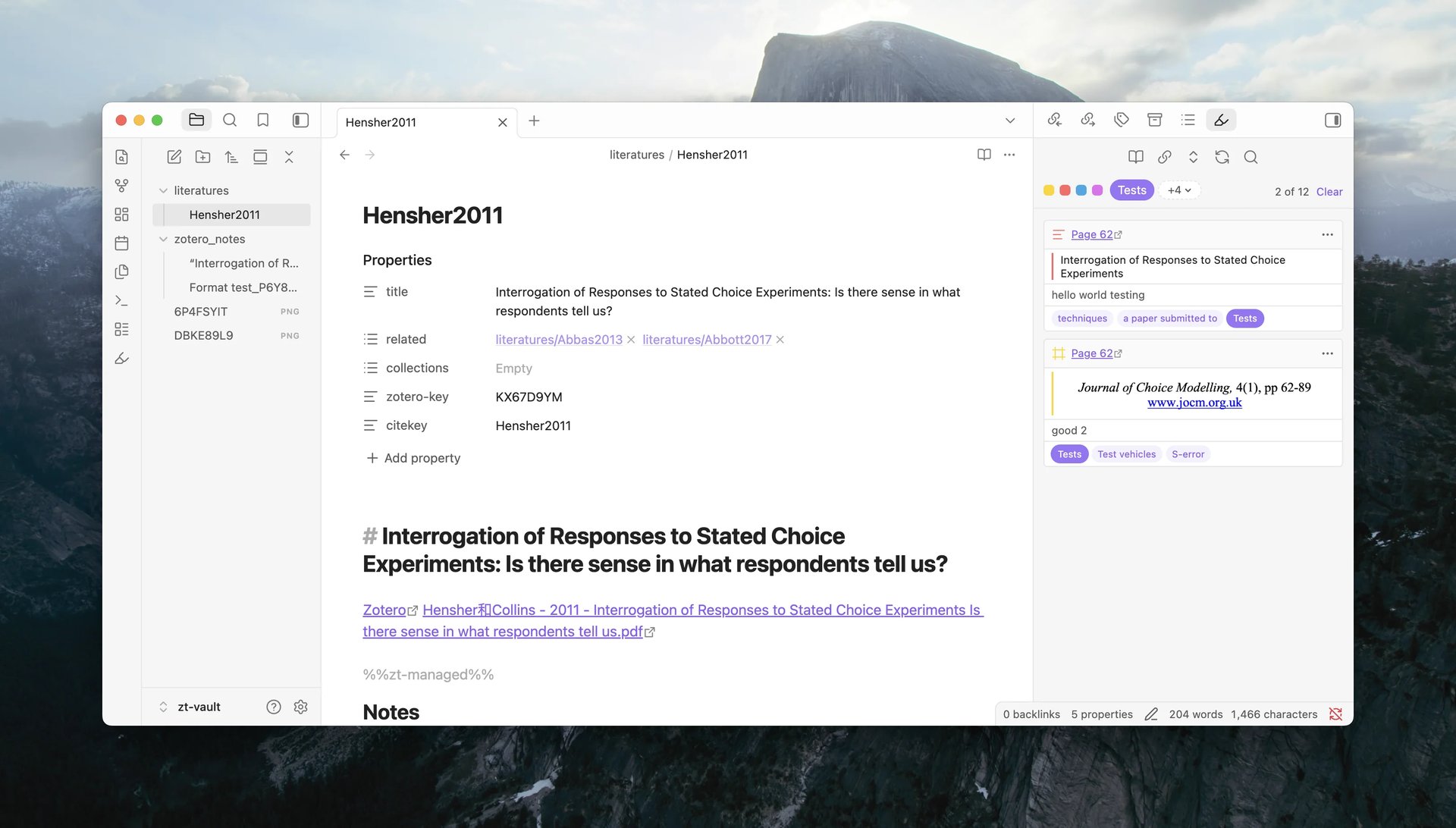
Using the annotation view
Batch Literature Note workflows
Creating Literature Notes one at a time works fine for a handful of items, but falls apart when you're onboarding an existing Zotero library or a batch of new references just landed from a literature search. The batch workflow creates or updates notes for many items at once, handling both new notes and existing ones where annotations or metadata have changed.
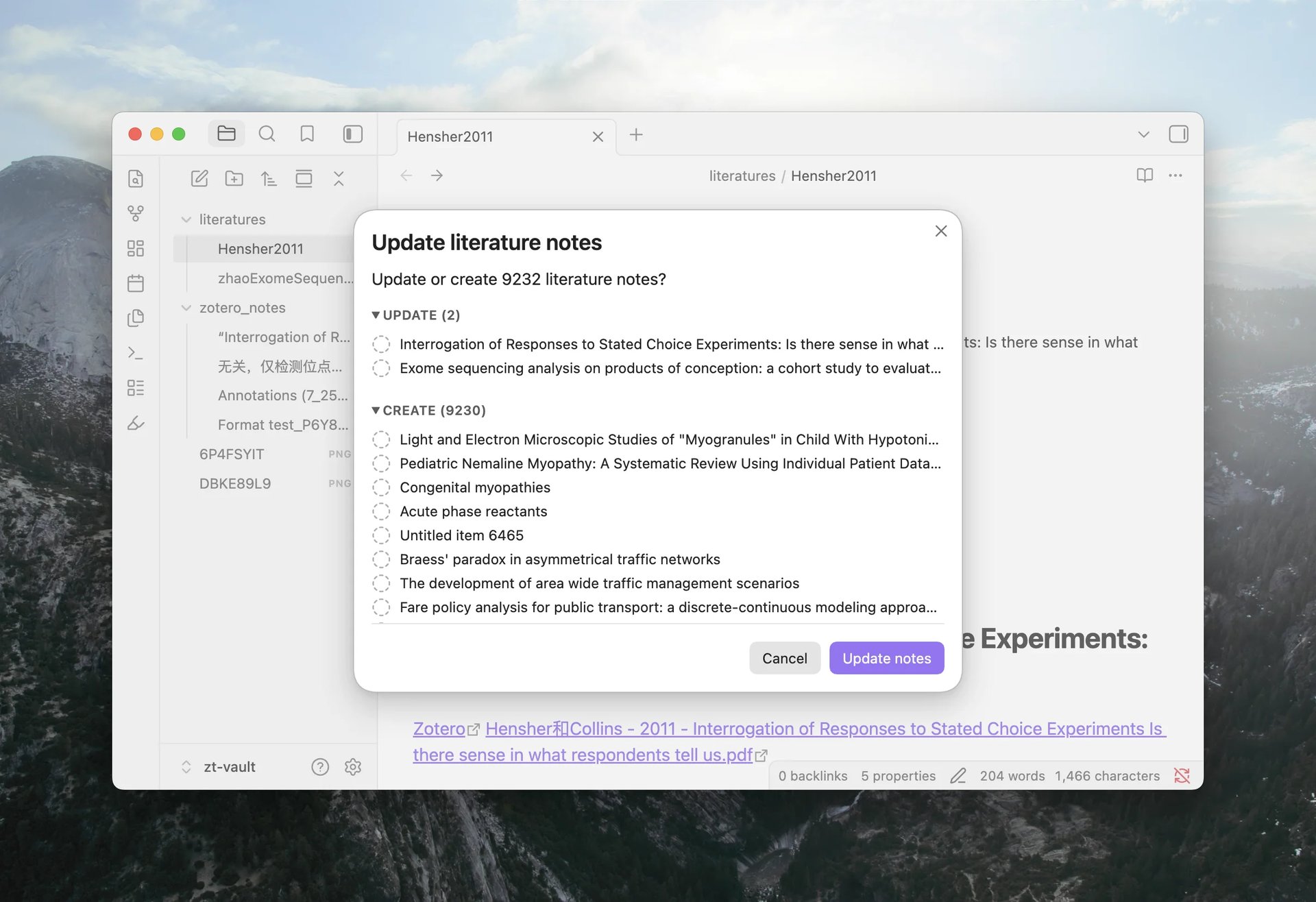
Creating and opening notes: bulk operations
Zotero-note import
Some researchers do most of their writing in Zotero's built-in note editor. v2 can bring those notes into your vault as Imported Notes, each one converted to a Markdown file with its content and structure preserved. If you've been building up notes in Zotero and want to consolidate everything in one place, this is the bridge.
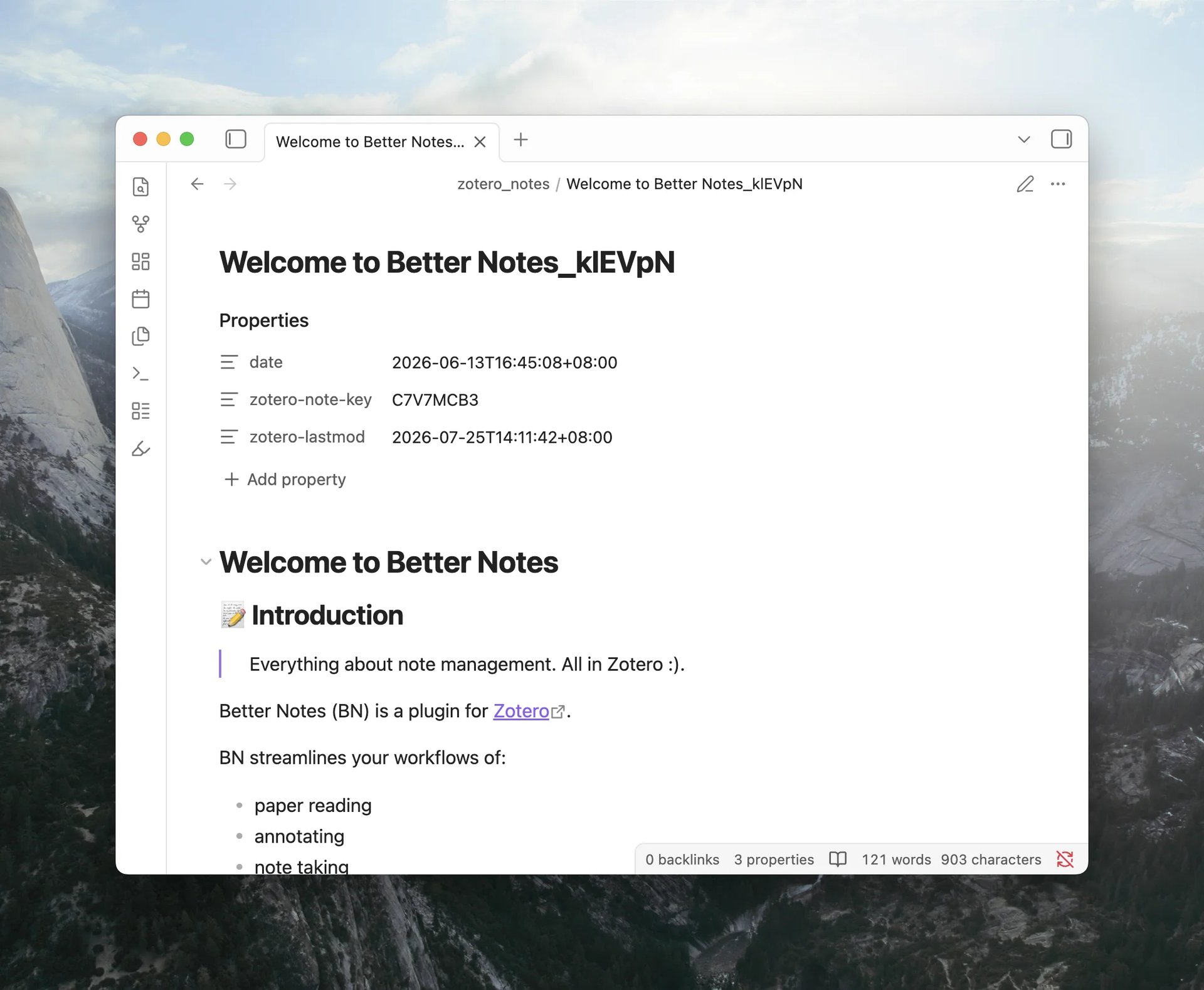
Importing Zotero notes
Templates and the Template Data Explorer
The template system lets you customize how Literature Notes, annotations, and citations are formatted. v2 defaults to a Liquid-based template language that's easier to pick up than v1's Eta syntax, while JavaScript Templates are available when you need full programmatic control. The Template Data Explorer has been redesigned to show the exact typed data available for any Zotero item, so you can write templates against real values rather than guessing at field names.
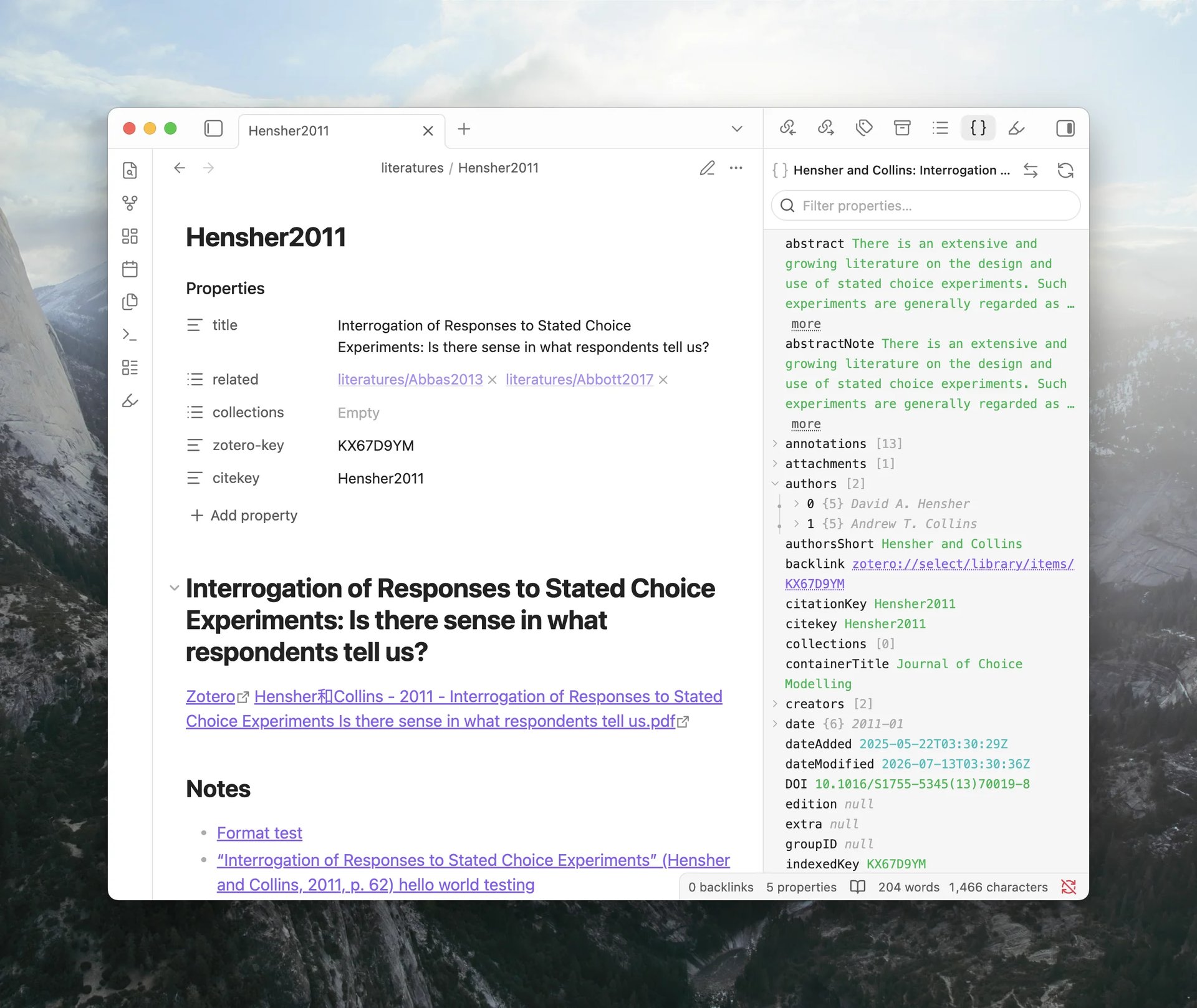
How templates work
Exploring template data
Upgrading
ZotLit v2 introduces breaking changes, so you'll need to migrate your existing installation.
First, you can install the beta via BRAT.
Install ZotLit v2
Then, in short, you'll need to:
Rename template files
Rename your custom Eta template files to match v2's naming convention.
Update template references
Replace it.* references with zt.* in your templates.
Enable JavaScript Templates
Turn on the JavaScript Templates setting in ZotLit's plugin settings.
Follow the migration guide for detailed instructions on each step.
Migrate from v1
If you're new to ZotLit, follow the tutorial.
Create your first literature note
Feedback
Questions, ideas, and bug reports all go through the community page. Discord is the fastest path for a quick question. If you think you've found a bug, open a report in GitHub Discussions instead. It gives us better tracking and context than a chat thread, and we'll confirm it's reproducible before making it an issue.
Community
Beta scope
Two features from v1 are not carried forward into v2: annotation merging and topic-based imports. These are retired features, not deferred work. I weighed whether to keep them, but the complexity they added wasn't justified by how often they were actually used. v2 focuses on the workflows described above.
Compatibility
The beta includes a compatibility layer for Obsidian versions before 1.13. The stable release will target the first public 1.13 installer.
Looking ahead
v2 is a more solid starting point than v1 ever was. I can build on it without the recurring worry that the next Obsidian update will break the database layer. Whether that translates into the reliability you need is something only real use will show.
The documentation is still catching up with the plugin. Some pages are incomplete, others may describe things that have already changed between betas. If you hit a gap or something doesn't match what you see, leave a comment on the doc page and I'll get it sorted.
I'd rather the beta surface problems now than ship a stable release with hidden ones. Thank you to the early testers who tried the first builds and told me what broke, and to those who've been testing since then: your feedback is already part of what shipped in recent betas. If you've been waiting for ZotLit to work again, or if you're finding it for the first time, I hope the work earns your trust over time.