v2.0.0-beta.0
July 22, 2026
Companion 2.0.0-beta.0 released alongside.
Welcome view, annotation search, note-status column
Features
Welcome view
A first-run landing surface appears on fresh installs and upgrades. It shows a live setup timeline with Zotero connection status, a note-folder picker, first-note search, and quick links to docs and community.
A resources strip on the setting tab (release notes, docs, help) is available on both Obsidian 1.13 and older versions.
Annotation view: search and filter
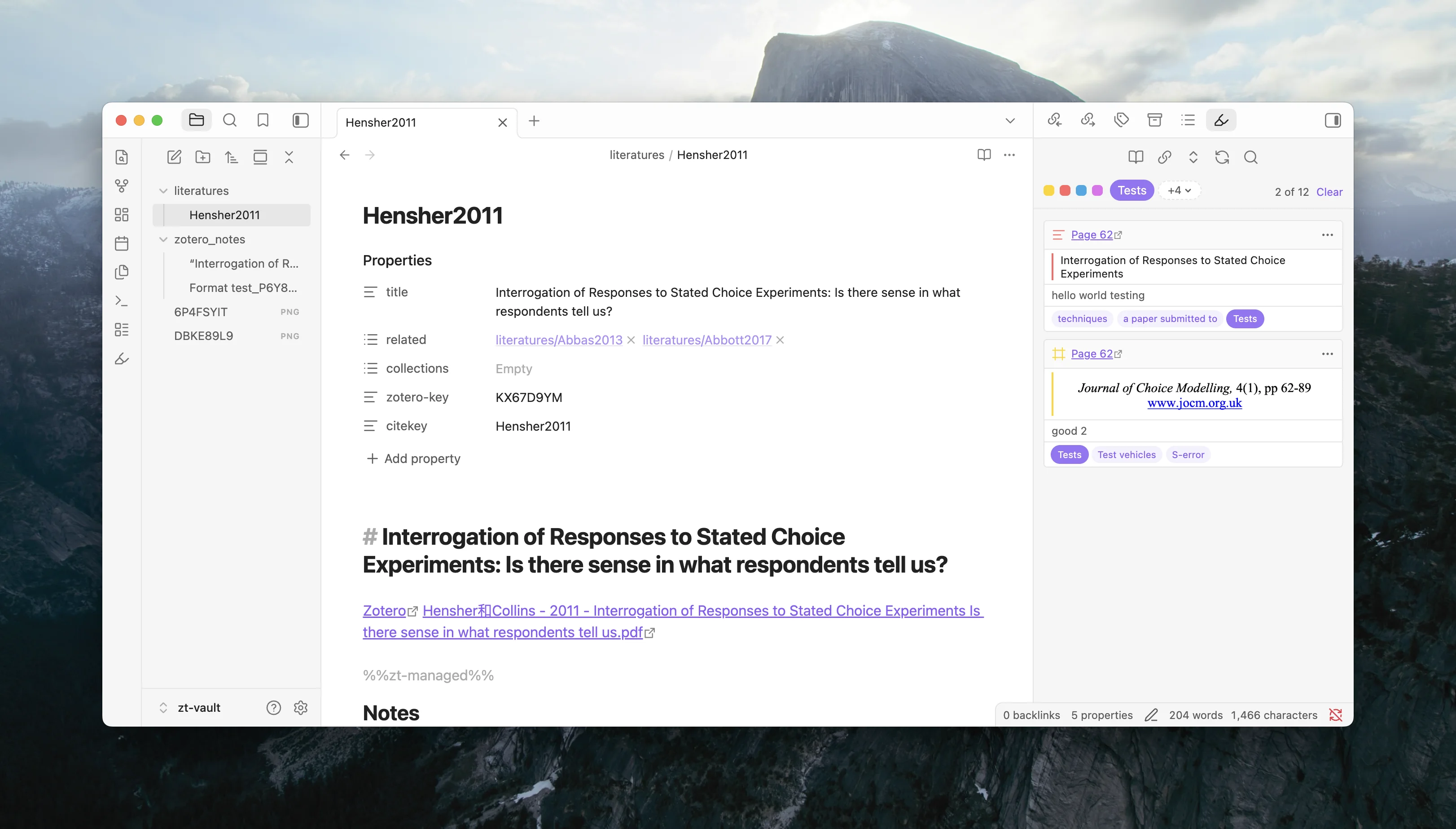
A search row in the annotation view matches text, comment, tag, and page number. A filter bar with color swatches, a first-tag chip, and an inline tag drawer lets you narrow annotations without switching to Zotero. Cards default to collapsed for scanning, and the view reserves status-bar clearance so the list tail is never covered.
See Use the annotation view for the full workflow.
Note-status column in Zotero
The Zotero companion now shows an extra column indicating which items have a corresponding literature note in Obsidian. This gives you an at-a-glance view of your note coverage from within Zotero.
Documentation
The v2 documentation site launched alongside this release, covering the full feature set:
- Tutorial — create your first literature note
- How-to guides — step-by-step instructions for every workflow
- Concepts — how connections, templates, and managed regions work
- Reference — settings, commands, protocol links, template syntax
New guides added in this cycle:
- How to suppress Zotero's security prompt
- How to collect debug logs
- Migrate from v1 — rewritten for clarity
Fixes
- Fixed a crash that could occur on 1.13.3 Obsidian installer at startup.