Suppress the Zotero security prompt
Stop Zotero from showing a confirmation dialog every time it opens an obsidian:// link.
Available sinceZotLit 2.0.0
Zotero shows a security confirmation dialog each time it opens an obsidian:// URI (for example, when you click a backlink in Zotero that points back to an Obsidian note). You can suppress this dialog by adding a preference in Zotero's Config Editor.
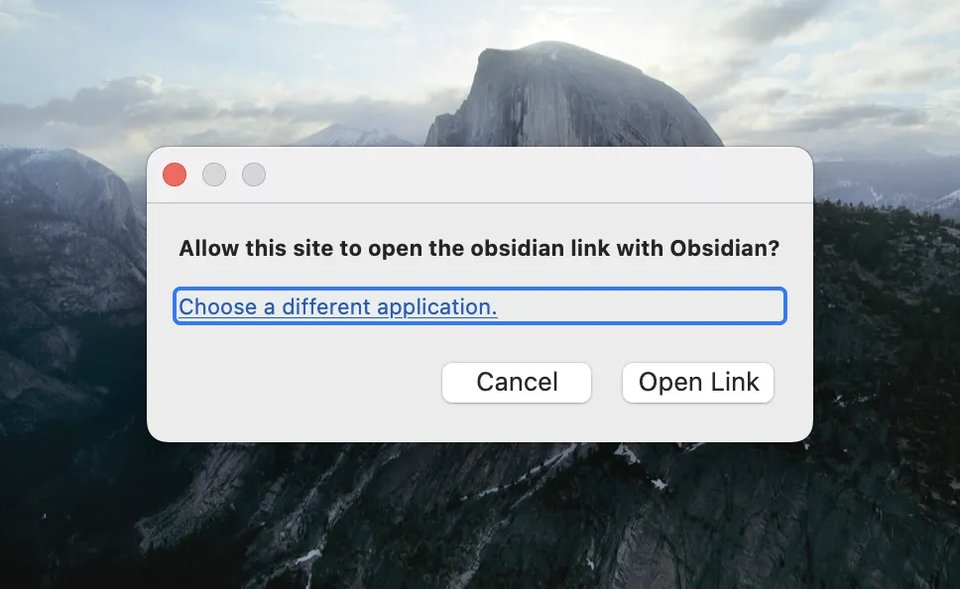
Add the protocol-handler preference
Open Zotero Settings
In Zotero, open Edit > Settings (Windows/Linux) or Zotero > Settings (macOS).
Open the Config Editor
Click the Advanced tab, then click Config Editor. Click Accept Risk and Continue when prompted.
Search for the preference
In the search field, type:
network.protocol-handler.external.obsidianNo matching entry appears because this preference does not exist by default.
Create the preference
Click the + (New) button on the right side of the search bar. The type defaults to Boolean and the value to true. Confirm the entry is created.
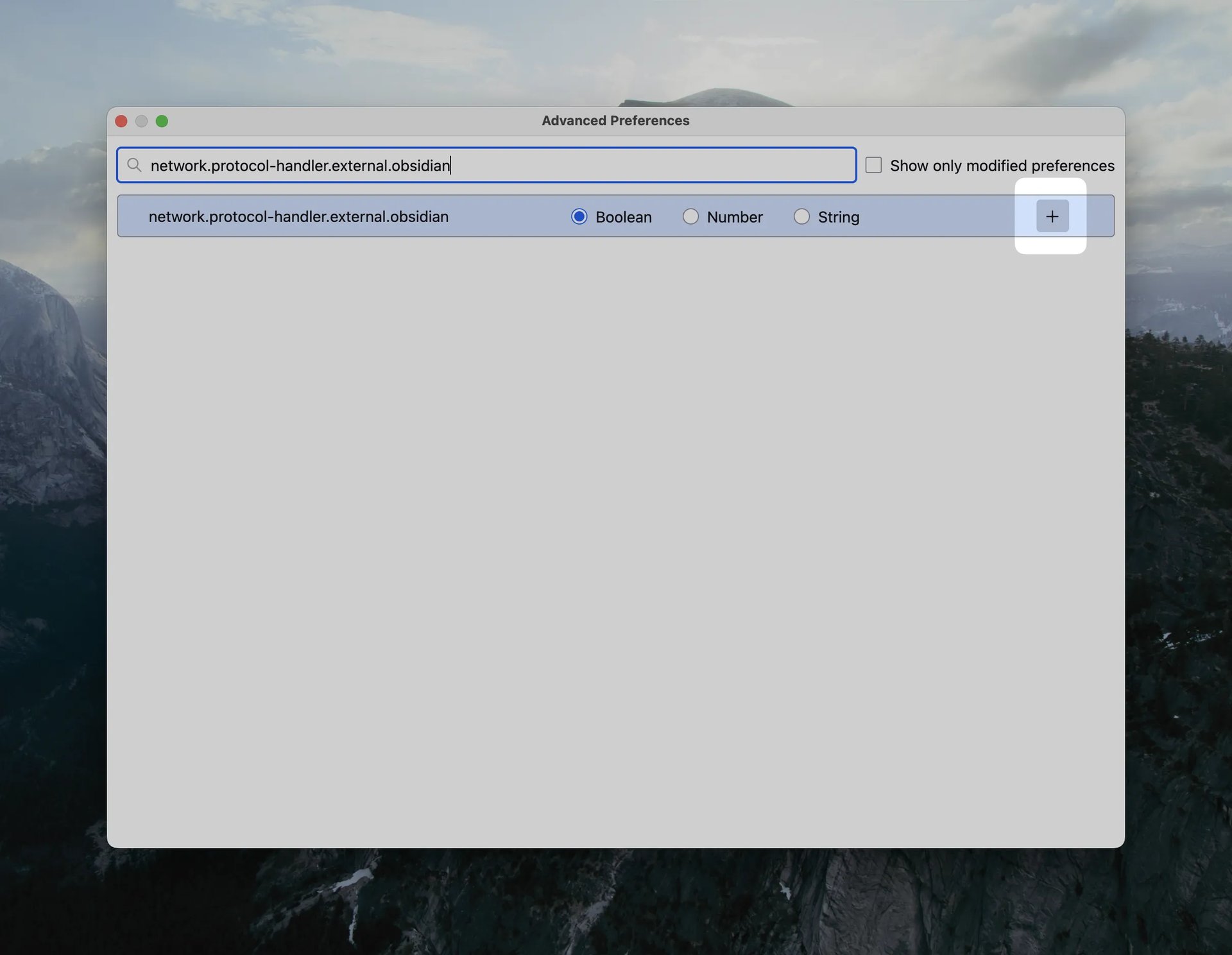
Zotero now opens obsidian:// links without a confirmation dialog.
Links triggered from outside Zotero
If prompts still appear for links opened from other applications (not from
within Zotero itself), additionally create the preference
network.protocol-handler.prompt-from-external and set it to false using
the same procedure: search for the key, click + (New), set the type to
Boolean, and set the value to false.
Credit
Procedure adapted from zotero-markdb-connect.