About 10 minutes
How to cite in Obsidian with Zotero
Type [@ and a name, then select the paper.
You need Earlier lessons (Lessons 1 and 2 completed)Better BibTeX (Required to cite as you write, installed in Zotero)Draft note (A draft note of your own, such as Chapter 3 - Presenting the results)
You end with
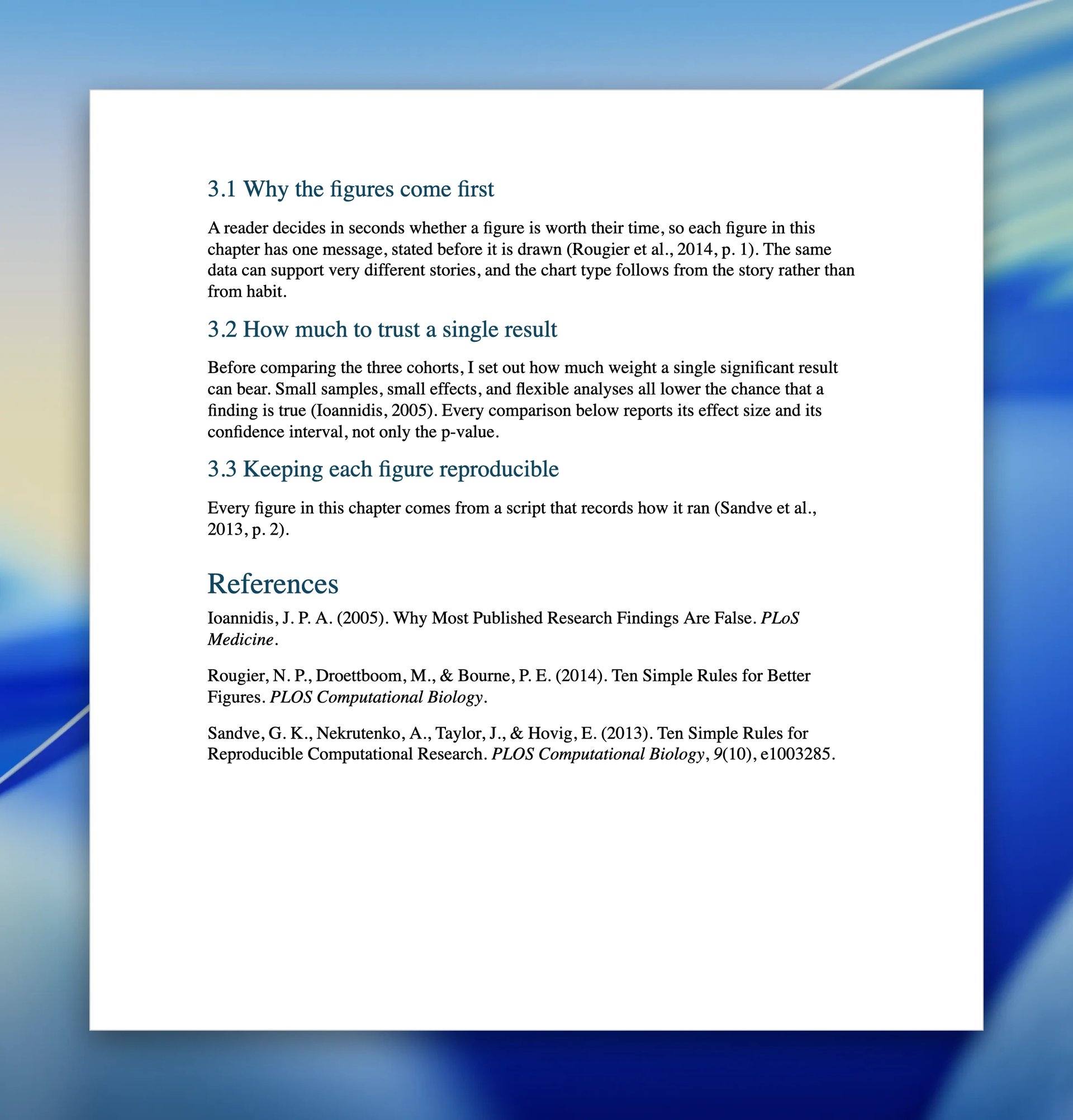
Formatted citations and quotes in your draft
Step 1 of 6Install the citation engine
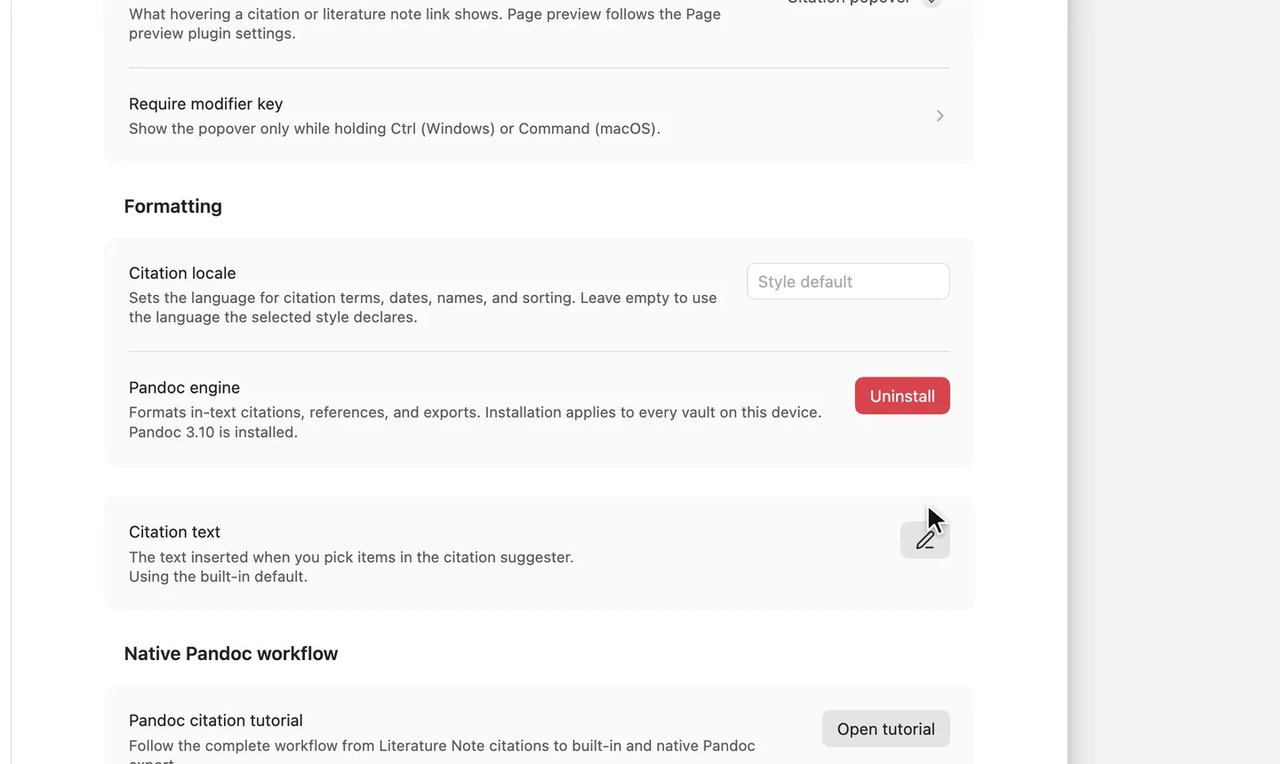
You should see
The row reads
Pandoc 3.10 is installed.(the version can be higher).
If you see something else
Step 2 of 6Type [@ and a name
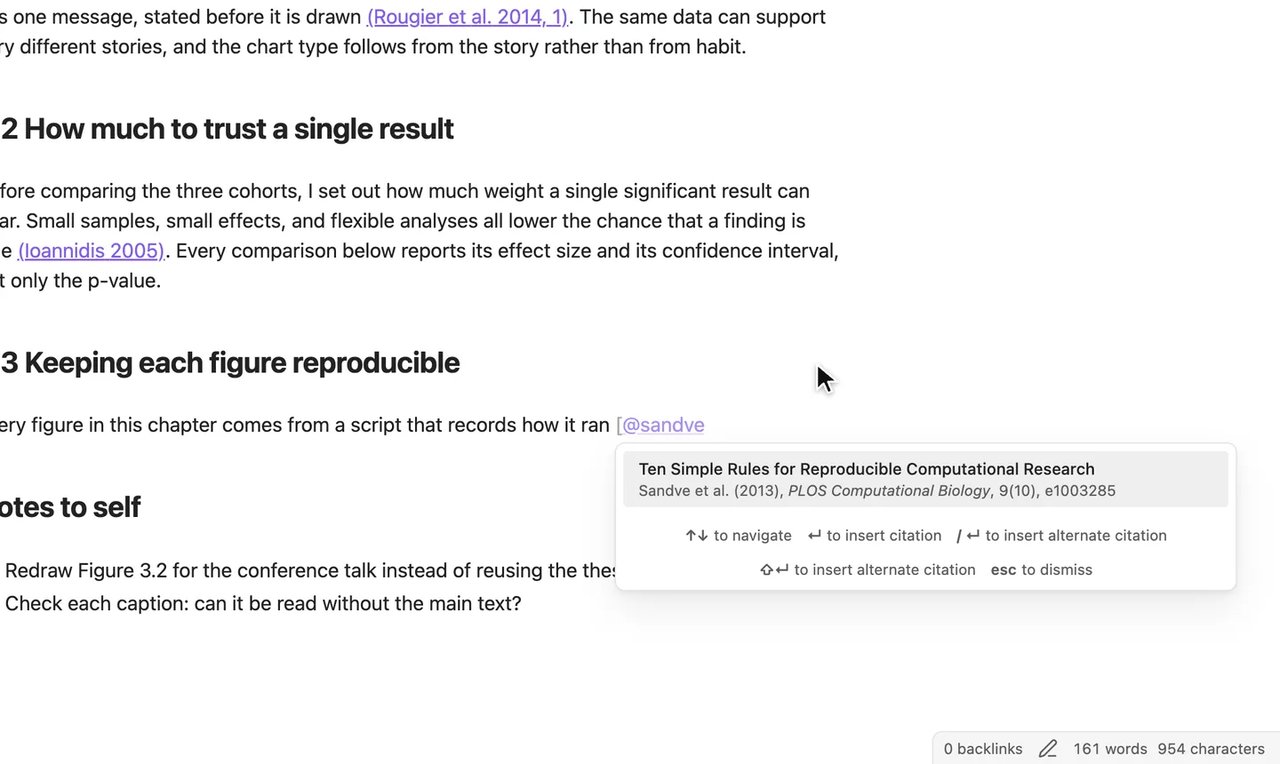
You should see
A citation menu opens, showing your paper (here Sandve et al. (2013), PLOS Computational Biology, 9(10), e1003285).
If you see something else
The paper is not in the list
A paper with no citation key cannot be cited. Install Better BibTeX in Zotero to give every paper a key.
Step 3 of 6Choose the paper
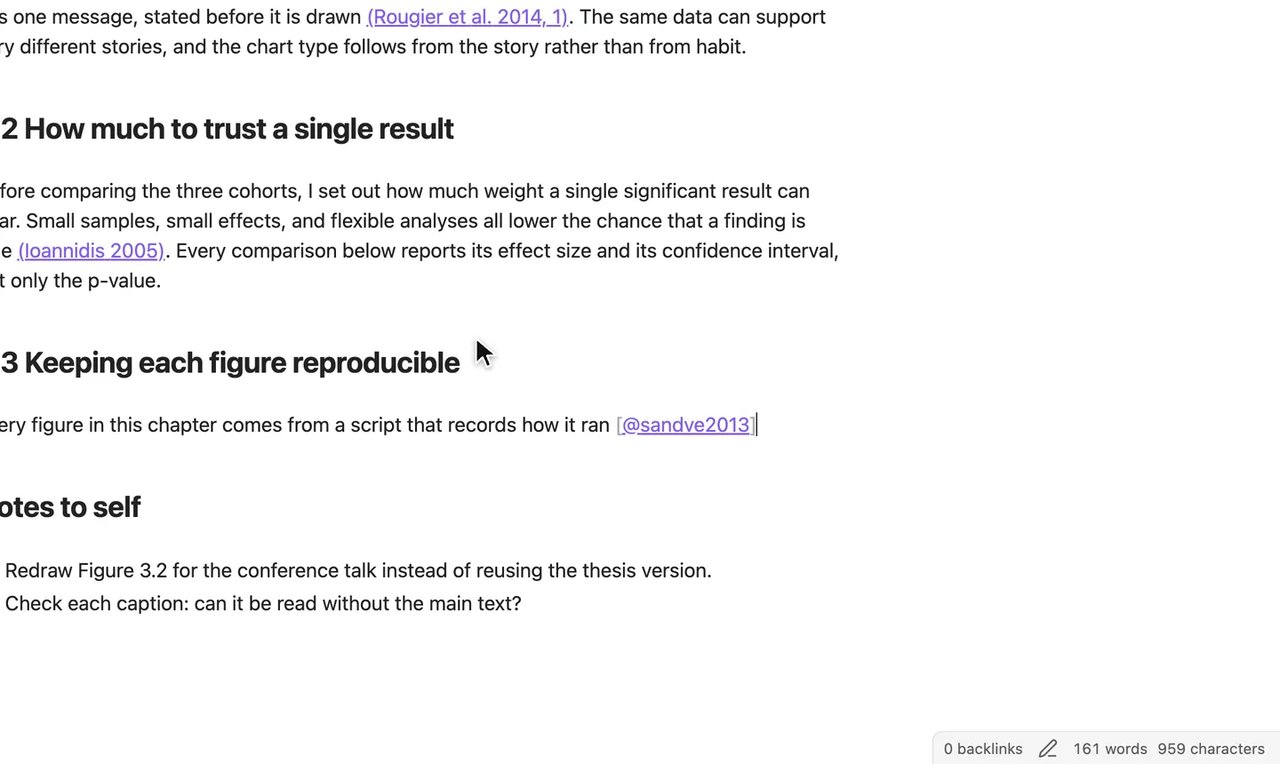
You should see
The draft displays the citation key for your paper (here
[@sandve2013]) at the cursor.If you see something else
Step 4 of 6Add the page
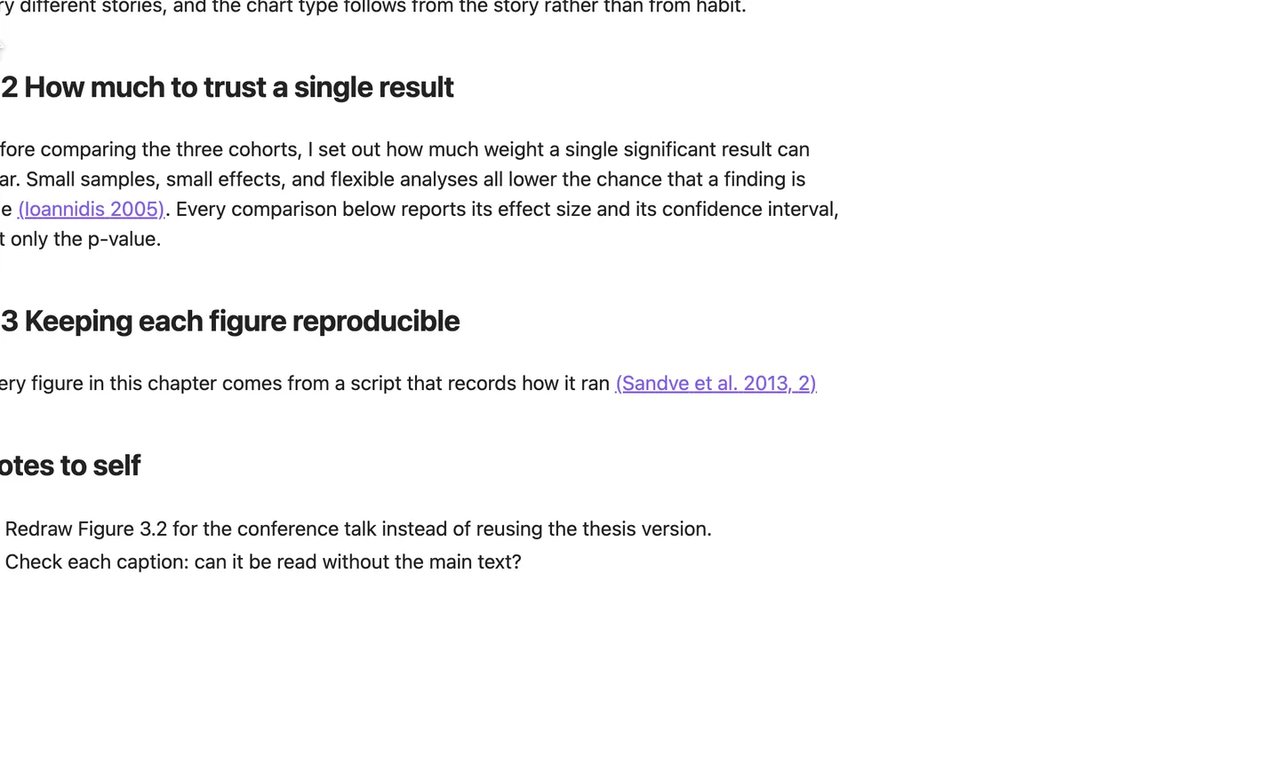
You should see
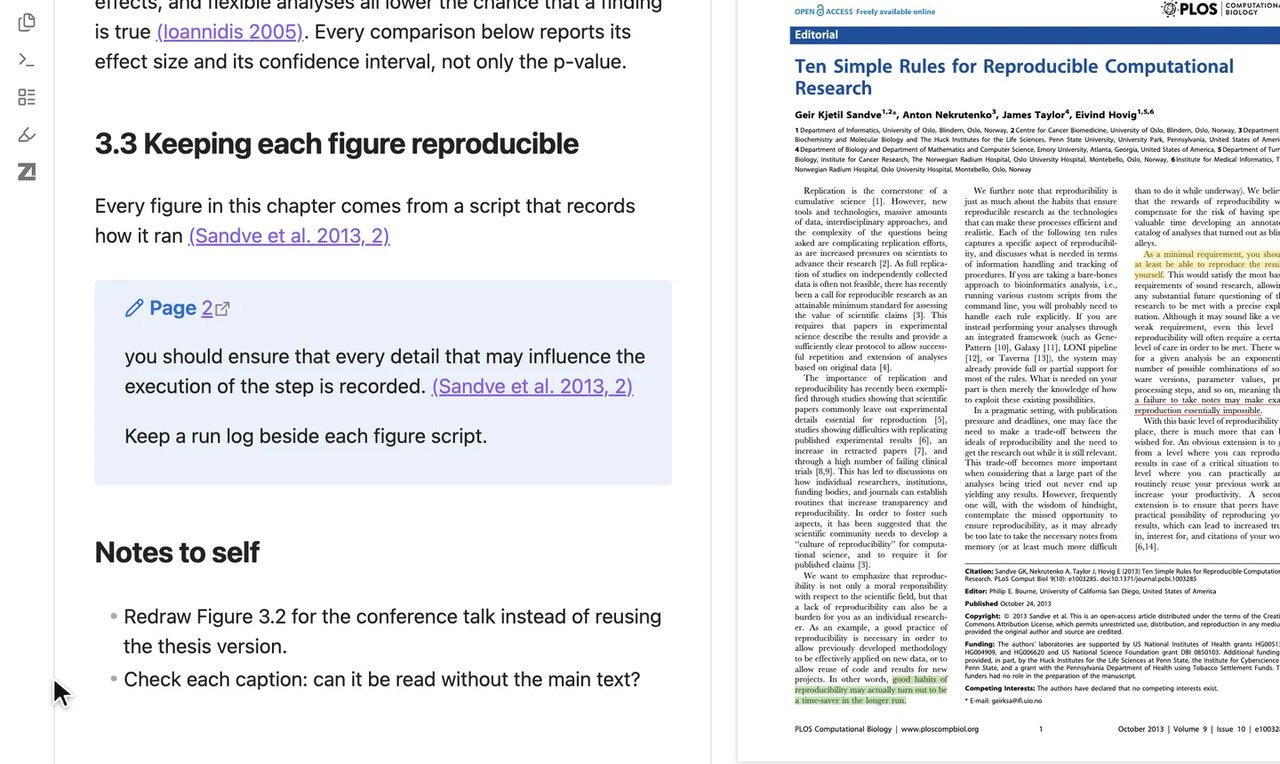
The citation now shows as author, year and page, here (Sandve et al. 2013, 2).
If you see something else
It still reads [@sandve2013, p. 2]
Install the engine in Step 1.
Step 5 of 6Check it is the right paper
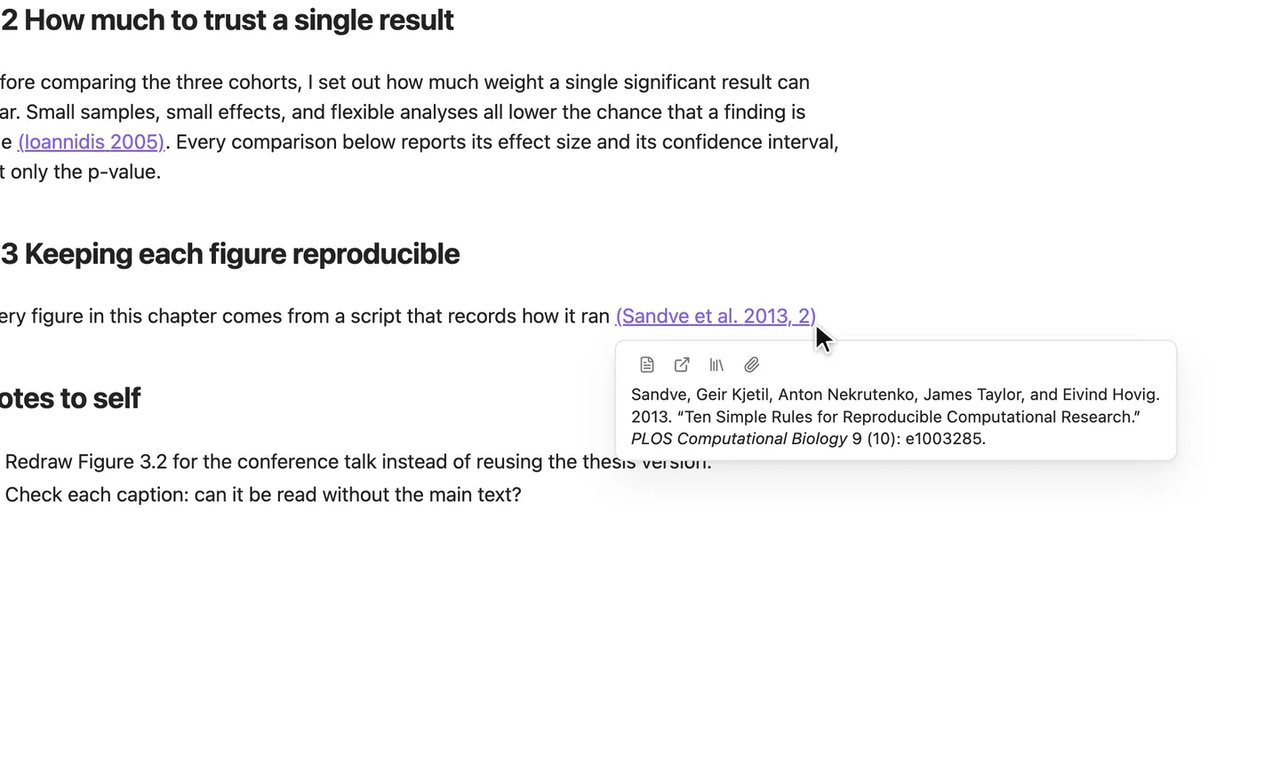
You should see
A preview card opens with the full reference for your paper (here Sandve 2013).
If you see something else
Step 6 of 6Quote a highlight
You should see
The draft shows a quote block titled Page 2 with the highlighted text, citation, and note.
If you see something else
Lesson 3 complete
You can now cite Zotero papers and drag quotes into your draft.