ZotLitLearn

About 10 minutes

Track your Zotero reading list in Obsidian

Type a status such as to-read in the paper’s row.

You need Lesson 1 (Completed)Zotero (Can stay closed)

You end with

A filtered reading table for your papers
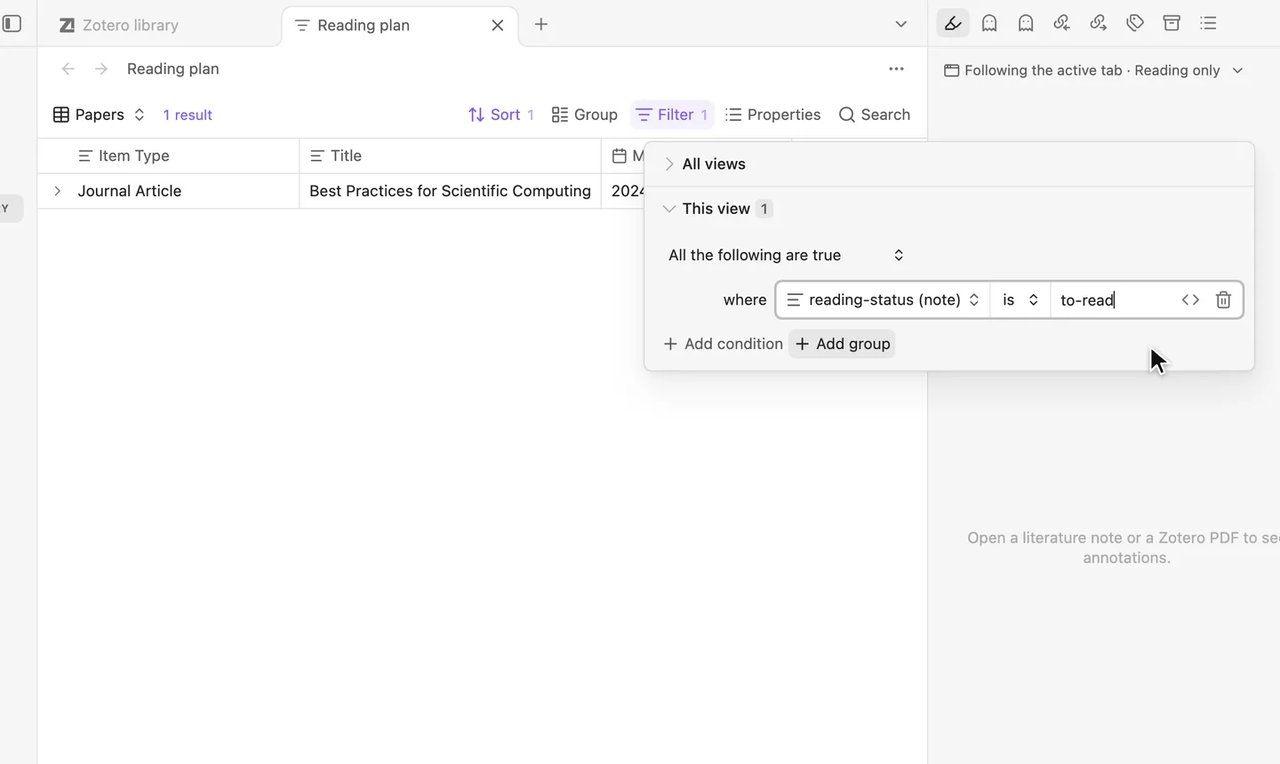
The table is filtered by reading-status (note) is to-read, showing only papers marked to-read.

0 of 6 done

  1. Step 1 of 6Save your library as a table file
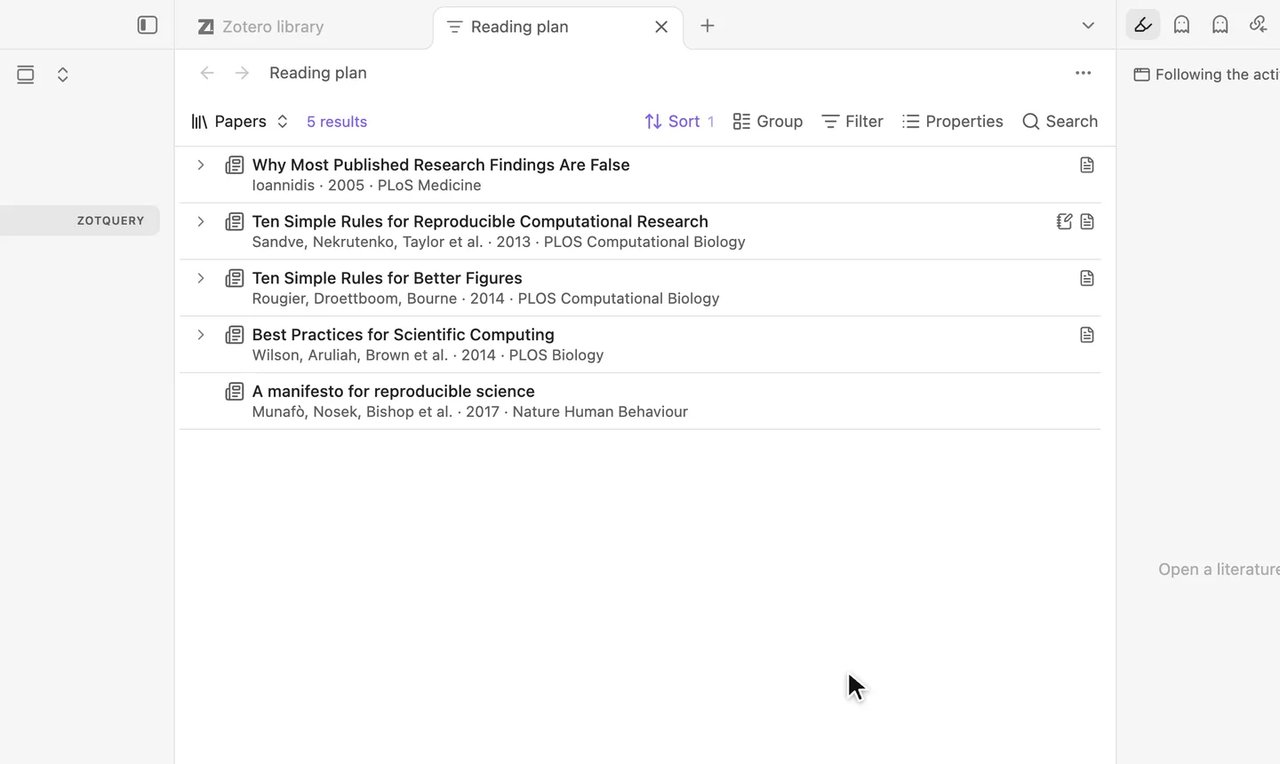
    In Zotero library, select Save as query file… (page-plus icon, top right of the list). Type Reading plan as the name and select Save.

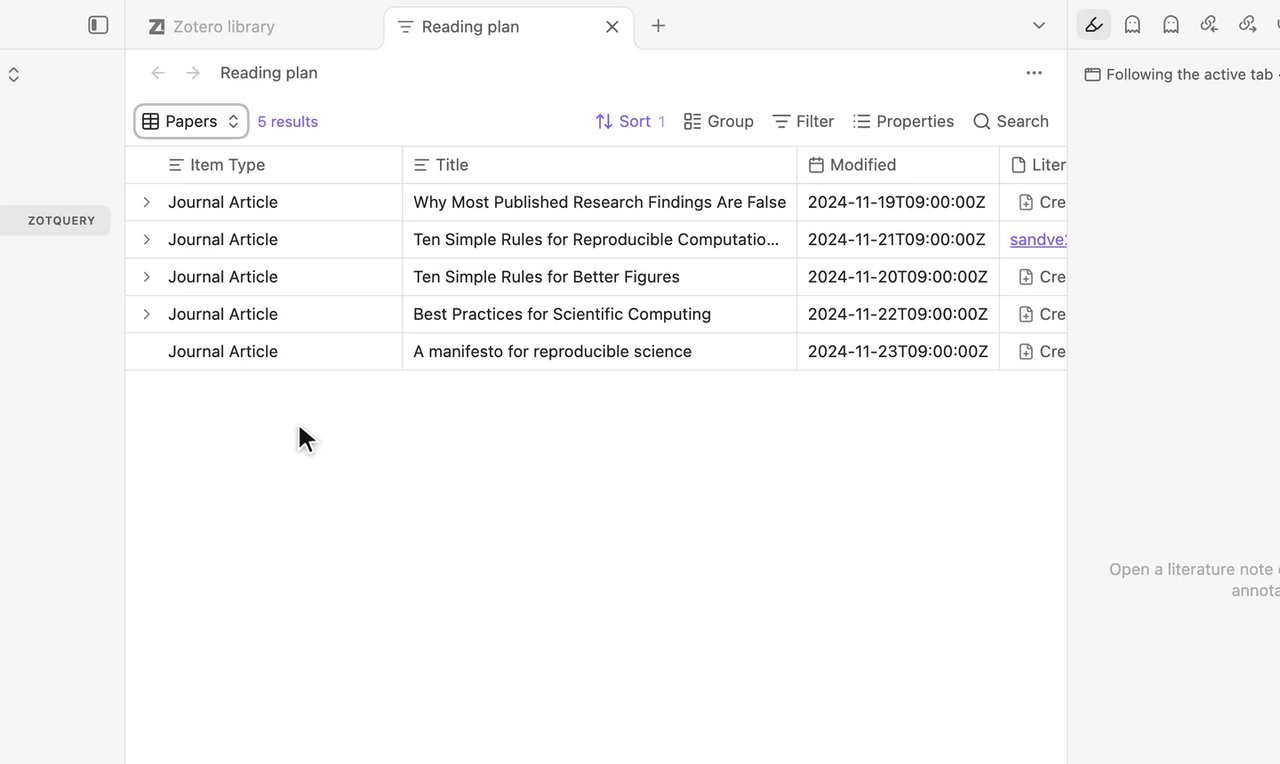
    The Reading plan file opens in a new tab, listing the papers from the library.

    You should see

    The file Reading plan opens in a new tab, listing your papers.

    If you see something else

    Ask in the community →

  2. Step 2 of 6Switch to a table

    Select Views at the top left, then the arrow at the end of the row (Configure view). Set Layout to Table.

    The papers in the Reading plan file appear as rows in a table.

    You should see

    Your papers appear as rows in a table.

    If you see something else

    Ask in the community →

  3. Step 3 of 6Add a reading status column
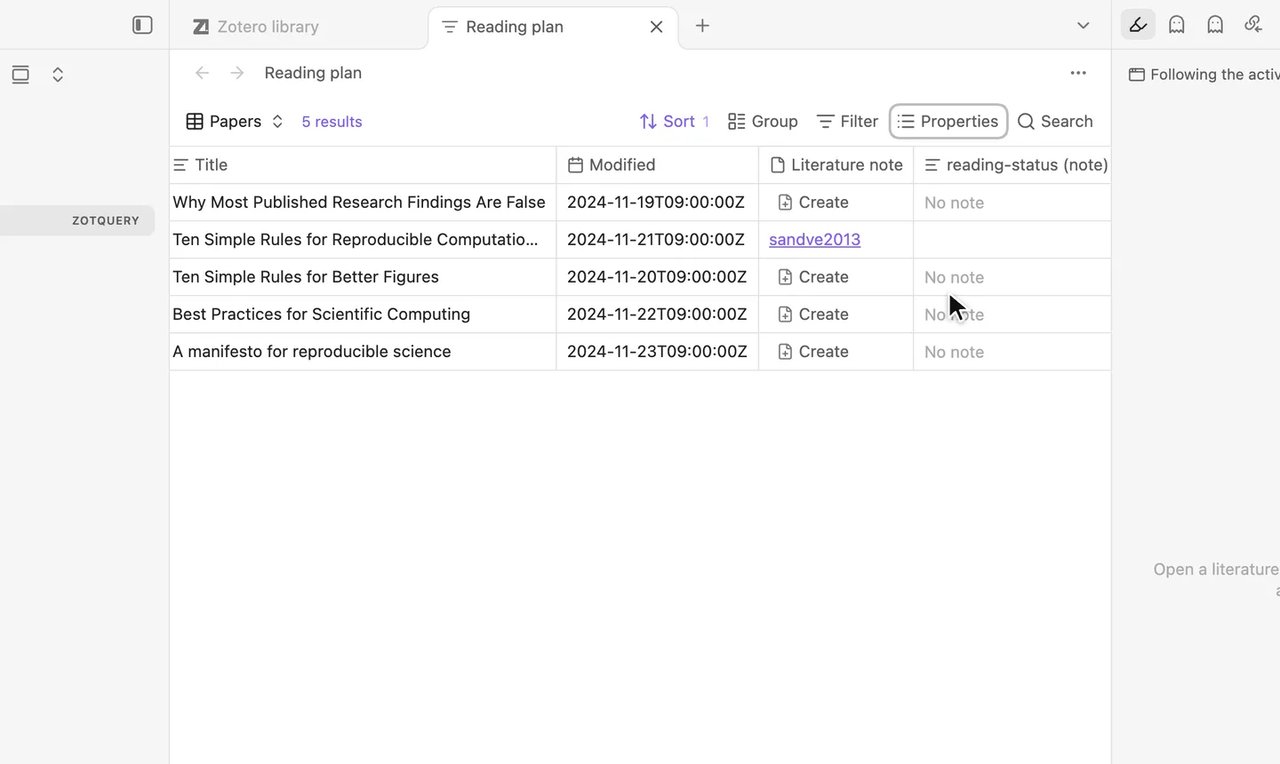
    Select Properties, type reading-status, and select Add "reading-status" vault property.

    A new reading-status (note) column appears in the table, displaying No note for unlinked papers.

    You should see

    A column titled reading-status (note) appears, showing No note for papers without a note.

    If you see something else

    The column header does not say “(note)”

    Select Properties, clear that check box, and select

    Add "reading-status" vault property

    .

    None of these. Ask in the community →

  4. Step 4 of 6Mark a paper

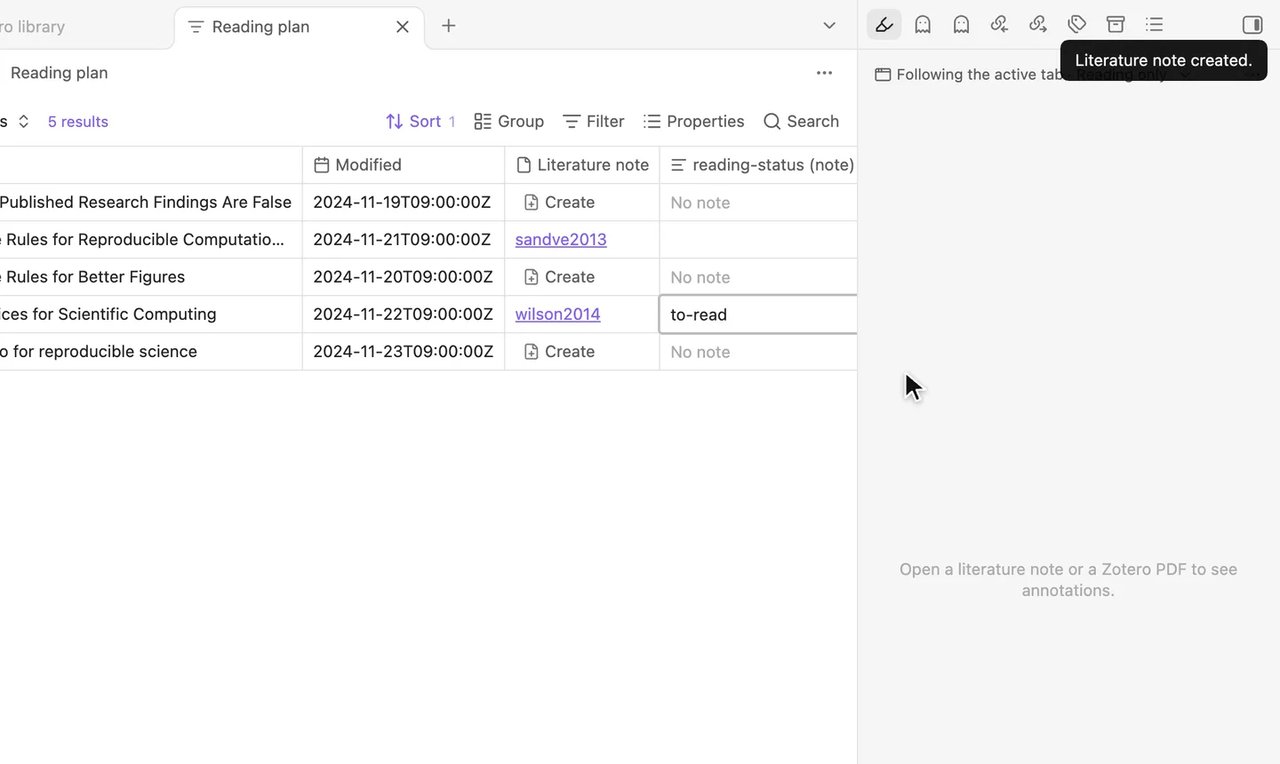
    Select a paper’s reading status cell, type to-read, and press Enter.

    The notice Literature note created. appears, and the edited cell displays to-read.

    You should see

    The notice appears: Literature note created. The cell shows to-read.

    If you see something else

    Ask in the community →

  5. Step 5 of 6Mark the others

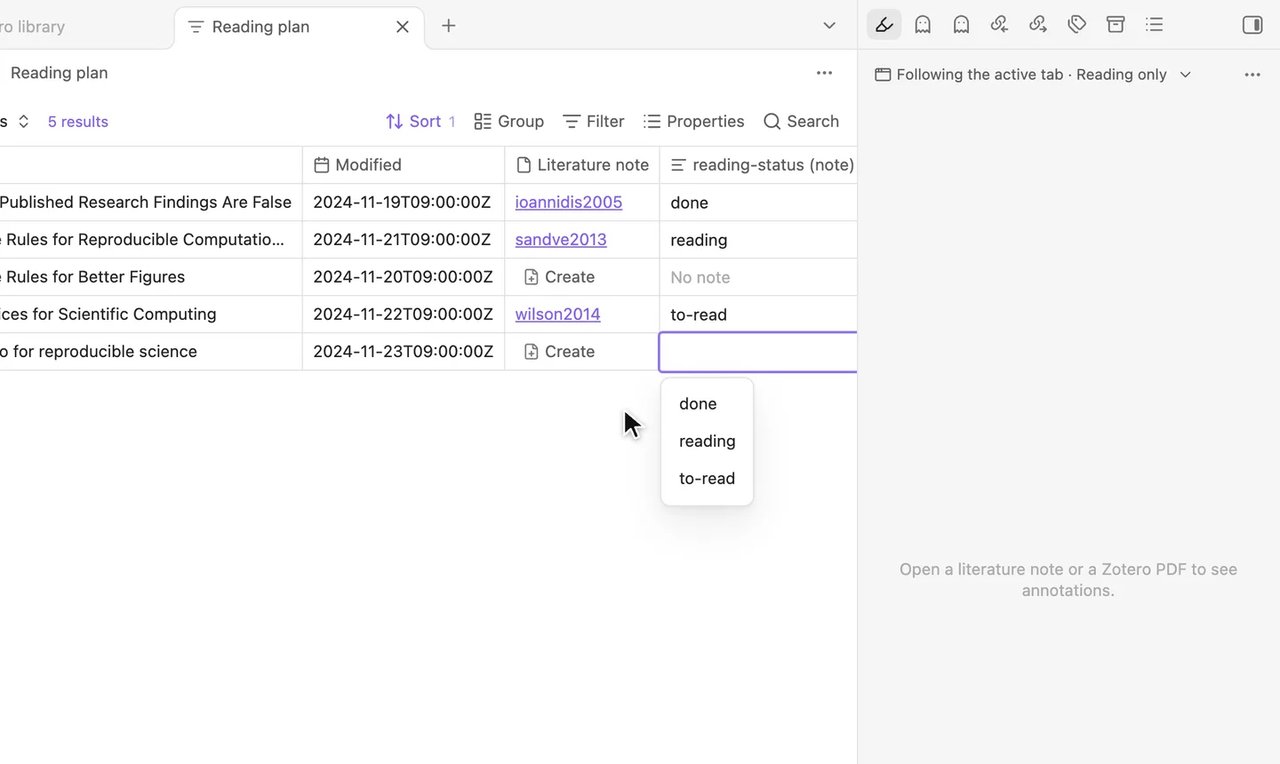
    Mark another paper as reading and a finished paper as done.

    The table shows status values across multiple rows, with suggested statuses shown while typing.

    You should see

    As you type, the cell suggests statuses you used before. The rows now show statuses.

    If you see something else

    Ask in the community →

  6. Step 6 of 6Show only what is left to read

    Select Filter, set the first box to reading-status (note), the second to is, and type to-read in the third.

    The table is filtered by reading-status (note) is to-read, showing only papers marked to-read.

    You should see

    The table shows only papers marked to-read.

    If you see something else

    Ask in the community →

Lesson 5 complete

You can now track reading status and filter for unread papers.

Two more chores
See all chores